
Key takeaways
- On a hosted builder you pay for continued access to a site that stays on the platform. Stop paying and it comes off your domain, or goes offline.
- Builders tie you in three ways: to the platform, to people who know that platform, and to the tool’s way of working.
- Several builders offer no complete way to take your site with you. Wix says its sites must be hosted on its servers; Framer offers no HTML export for self-hosting.
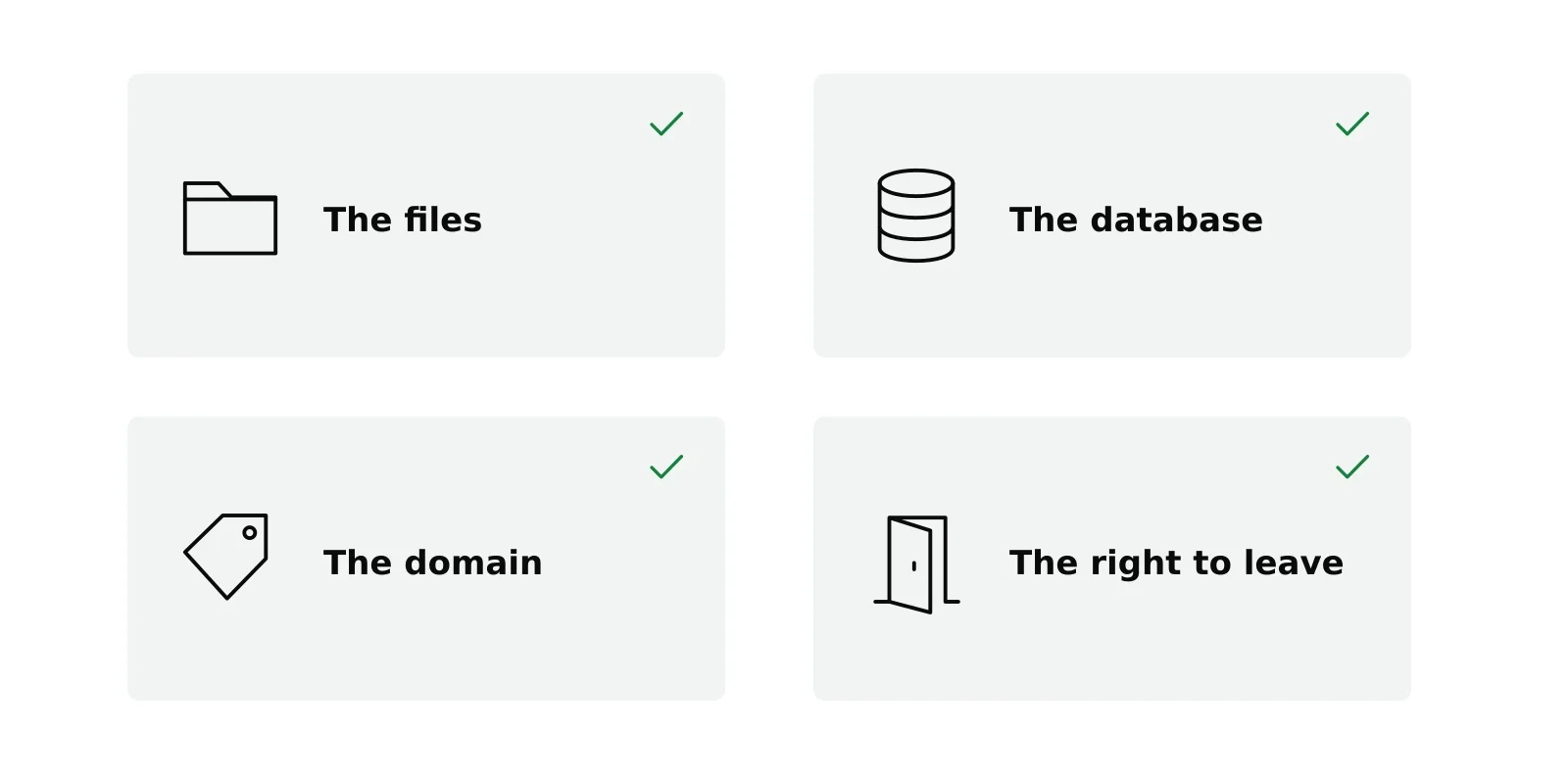
- Owning a site means four things: the files, the database, the domain and the right to leave.
- Owning has a cost too: a little maintenance. For a site meant to last years, it is usually the better trade.
You did the comparison. Framer, Wix, Squarespace, Webflow, Carrd. You read the feature tables, looked at the templates and probably started a trial on two of them.
Here is the question those comparisons rarely ask: at the end of it, what do you own? Not what you can build or how it looks. What stays yours if the company changes its prices, its terms or its owners.
On a hosted builder, the honest answer is your content, if you can get it out, and nothing else.
Renting is not a metaphor
When you build on a hosted builder, your site exists inside that company’s system. The pages you designed are records in a database you cannot reach, rendered by software you do not have, on servers you do not control.
Stop paying and the site stops working on your domain. That is the definition of renting: paying for continued access to something that is not yours. Most people know it and do not think about it, because the monthly number is small. That is precisely why it works.
The three ties
Every hosted builder ties you in three ways at once.
A tie to the platform. Your site cannot easily leave. Wix states in its help center that a Wix site “needs to be hosted and operated on Wix’s servers”. Framer says it does not offer HTML export for self-hosting. Where an export exists, check what it produces: often a partial copy, or static files that no longer work as a site you can edit.
A tie to a professional. Builders sell themselves on not needing a developer, and for the first version that is true. Then you need something the template does not do, and now you need someone who knows that particular platform. The pool is often smaller and the rate often higher.
A tie to the tool’s way of working. The newest version is the AI builder, where every change goes through a prompt. You are not editing your site; you are asking a tool for permission to change it. We look at that in AI website builder.
NoTiesBuilder is named after these three ties. Removing them is the whole idea.
Run the numbers
Take Framer as an example. Its pricing page lists a free plan and paid plans from $10 a month billed yearly, and connecting your own domain requires a paid plan. At that rate:
| Years | Paid to the platform | What you own at the end |
|---|---|---|
| 1 | $120 | Nothing you can move |
| 3 | $360 | Nothing you can move |
| 5 | $600 | Nothing you can move |
| 10 | $1,200 | Nothing you can move |
Owning is not free either. A WordPress site on your own hosting costs the hosting, from a few dollars a month at mainstream hosts with higher renewal prices, and a domain, roughly $10 to $20 a year for a .com. Over ten years that can be similar to a builder’s plan, or less. The money is not the interesting part. The last column is.
We go through Framer’s numbers in detail in Framer pricing.
What ownership consists of
“You own your site” is said often and rarely defined. It is four things.
- The files: your theme, images and uploads, downloadable and backed up wherever you like.
- The database: your pages, posts and settings, exportable in a standard format.
- The domain: registered in your name, at a registrar you chose. If you registered it through your builder, check whose name is on it.
- The right to leave: take the files and the database to any host and the same site comes back up.
If a platform cannot give you all four, you are renting, whatever the marketing says.
The honest cost of owning
Owning has a price, and it is not mainly money. Nobody updates your site for you. WordPress, your theme and your plugins need updates; backups need to run; once in a while something breaks and takes an evening. On a hosted builder none of that is your problem, and that is a genuine benefit.
So the question is not which is better. It is which trade you want: pay for as long as the site exists and never think about maintenance, or pay for the build once and spend a few hours a year looking after something that is yours.
Plenty of people should rent. If the site is temporary, or you will never publish a second page, renting is a reasonable choice. But if you are building something you expect to run in five years, that will accumulate content and become an asset rather than a business card, renting is the wrong shape for it.
Where NoTiesBuilder fits
NoTiesBuilder is our product and is launching soon. It will build a standard WordPress site from your brief and deploy it to your own hosting, for one payment. After that the site is yours: files, database, domain and the right to leave. You can join the waiting list.
Frequently asked questions
Do I own my website on Wix or Squarespace?
You own your content, but not the site in a form you can move. Wix says its sites must be hosted on its servers. Squarespace offers a partial export to WordPress. In both cases leaving means rebuilding at least part of the site.
Can I export my Framer site?
Framer says it does not offer HTML export for self-hosting. CMS content can be exported with plugins, but the site itself stays on Framer.
Is owning a website cheaper than renting one?
Not always in pure money: hosting and a domain cost something every year too. The difference is that you pay suppliers you can change, and the site goes wherever you go.
What does it take to look after a WordPress site?
Regular updates, working backups and an occasional fix. Our guide to WordPress maintenance covers it.
Sources
- Wix Help Center, Exporting or embedding your Wix site elsewhere
- Framer Help, Can I export my website to HTML and self-host it?
- Framer, Pricing, accessed October 6, 2026
- Framer Marketplace, CMS Export plugin
- Squarespace Help Center, Exporting your site
- Namecheap, Price increase for .com, .xyz and more domains